The product
Register, customer display and operations. One system.
Three parts sharing the same data: what is charged at the counter is what comes off the inventory and what shows up in the cash count.
Register
Built for the queue, not for the demo.
Fast with one finger, clear for someone starting today, and strict with money.
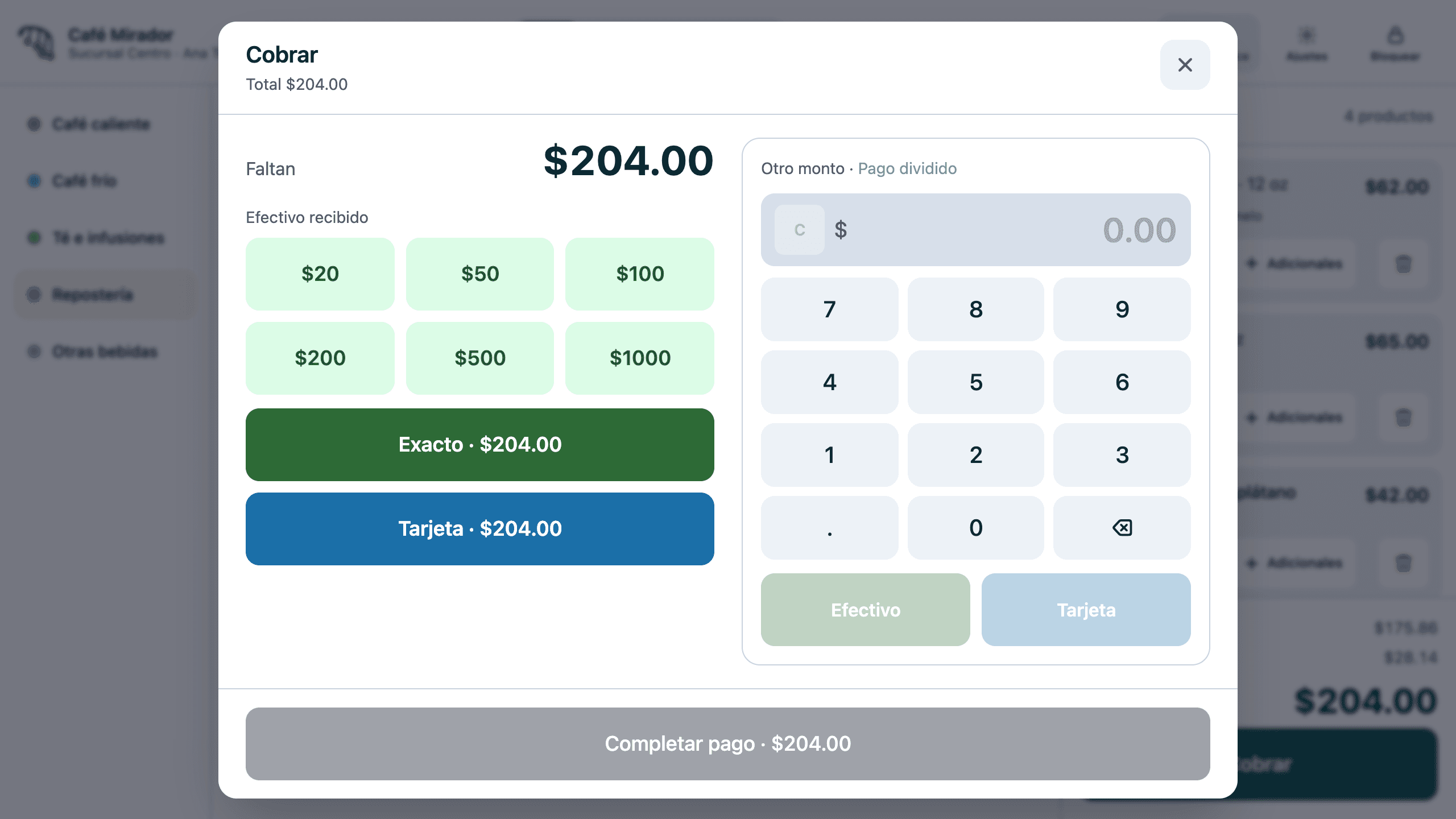
- One-tap ringing, with sizes and options only when needed
- Extras added from the ticket
- Sales channel: dine-in, takeaway or delivery
- Product search that ignores accents
- Cash, card and split payments
- Printed, auto-cut receipt; drawer opens on cash only
- Reprints and refunds from the order history
- Discounts and courtesies with supervisor approval
- Shifts with an opening float and PIN sign-in
Customer display
On the other side of the counter, it works too.
A touchscreen for whoever pays: transparency that prevents disputes, and sales the cashier never had to suggest.
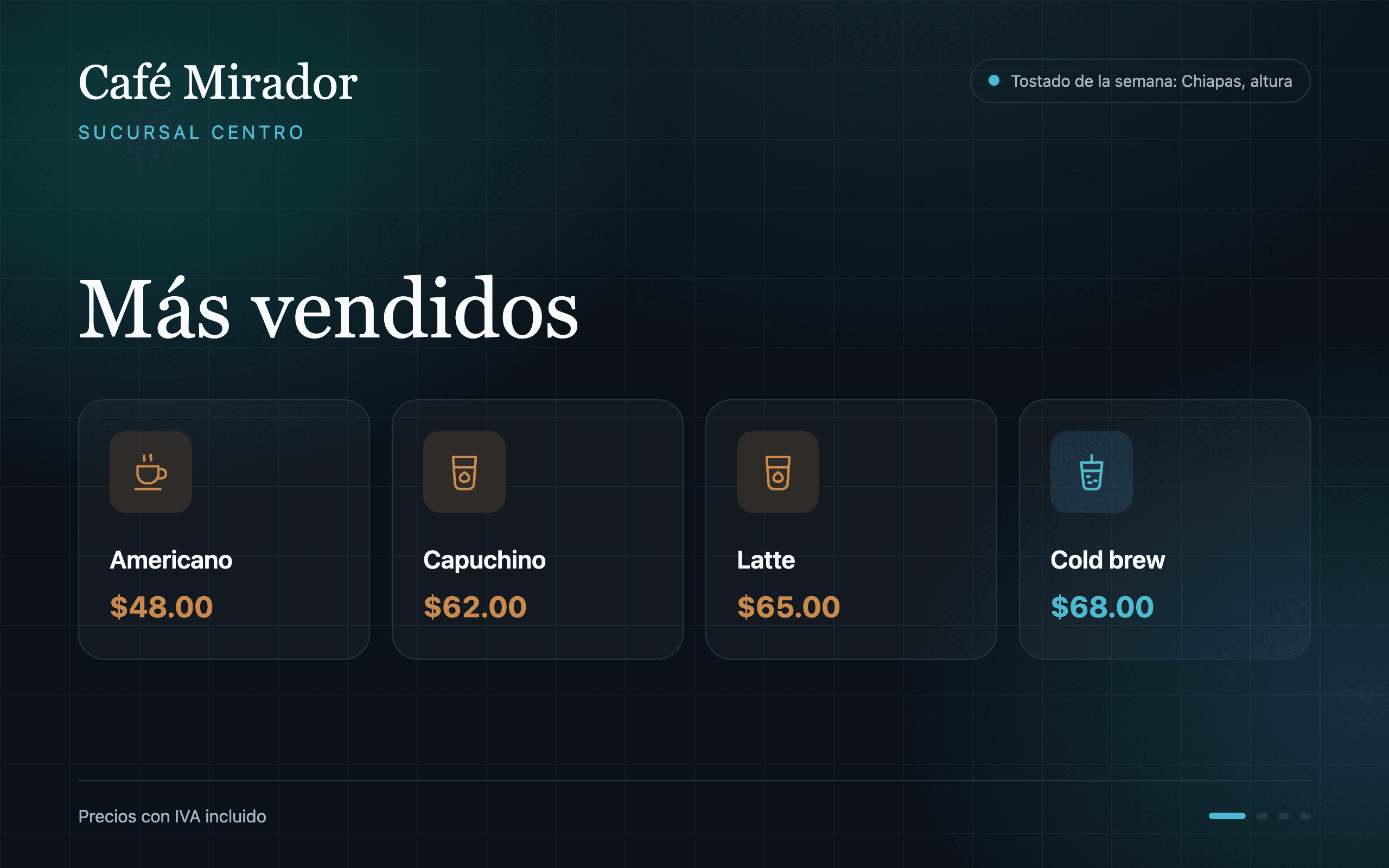
- Live order mirror, line by line, with a large total
- One-tap extras and suggested products
- Customers choose flavours and options on their screen
- Amount due with cash and card instructions
- Change in large digits
- Three-tap experience rating
- Between customers: your menu with current prices
- Isolated: it can never show sales, counts or staff
Operations
The whole business, not just the payment.
Inventory, cash counts, staff and branches in the same system as the register.
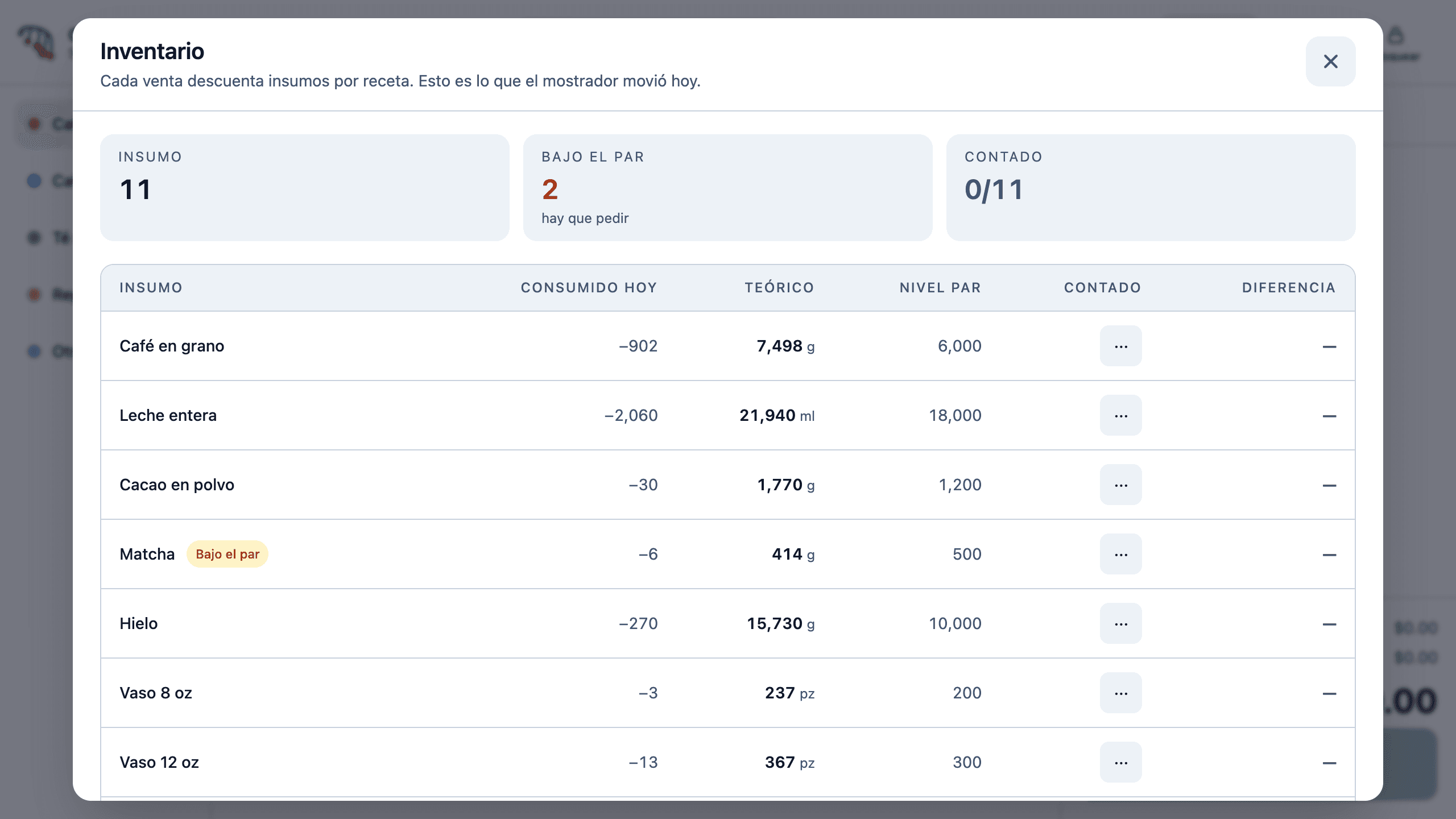
- Recipe-level inventory, with supplies and extras
- Par levels and alerts for what is running out
- Stock counts with the difference against theoretical
- Blind cash counts, per shift and per cashier
- Production logging
- Staff attendance
- Transfers between branches
- Role-based permissions, from owner to kitchen
- Web back office with sales, margins and counts
- Live status of every terminal
Specifications
- Platform
- Android on the terminal · web for the back office
- Tested hardware
- SUNMI D3
- Screens
- Main 1920 × 1080 · customer 1280 × 800 touch
- Printing
- Built-in thermal, auto-cut
- Payments
- Cash, card (recorded) and split
- Tax
- 16% VAT included in the price, itemised on what was charged
- Offline
- Sales, printing, drawer and PIN sign-in
- Sync
- Automatic when the network returns
- Roles
- Owner, administrator, supervisor, cashier and kitchen
- CFDI invoicing
- Custom integration
- Card terminal
- Payment recorded; integration as custom work
Frequently asked questions
What happens if the internet goes down?
The register keeps charging, printing and opening the drawer. Sales are stored on the terminal and sync by themselves when the network returns.
Does it work with my hardware?
Pirul is tested on SUNMI D3 terminals with a customer display, printer and drawer. If you already have other Android hardware, we assess it with you before proposing anything.
Does it issue Mexican tax invoices (CFDI)?
Electronic invoicing is not included in the base product. If you need it, we integrate it with your stamping provider as custom work.
Does it connect to my card terminal?
Today, card payments are recorded at the register and charged on your usual bank terminal. Direct terminal integration is quoted as custom work.
Can I start with a single branch?
Yes. Pirul works the same for one branch as for a chain. Adding branches and terminals later does not change how you work.
Who owns my data?
You do. Each business’s information is isolated from everyone else’s, and you can export it whenever you need it.
How long does implementation take?
It depends on the size of your catalogue and how many branches you have. The proposal includes a concrete calendar; chains are rolled out in phases, branch by branch.
Want it for your business?
Book a 30-minute demo. We show you Pirul running and tell you what the product solves as it is, and what would need to be built.