One tap, one product.
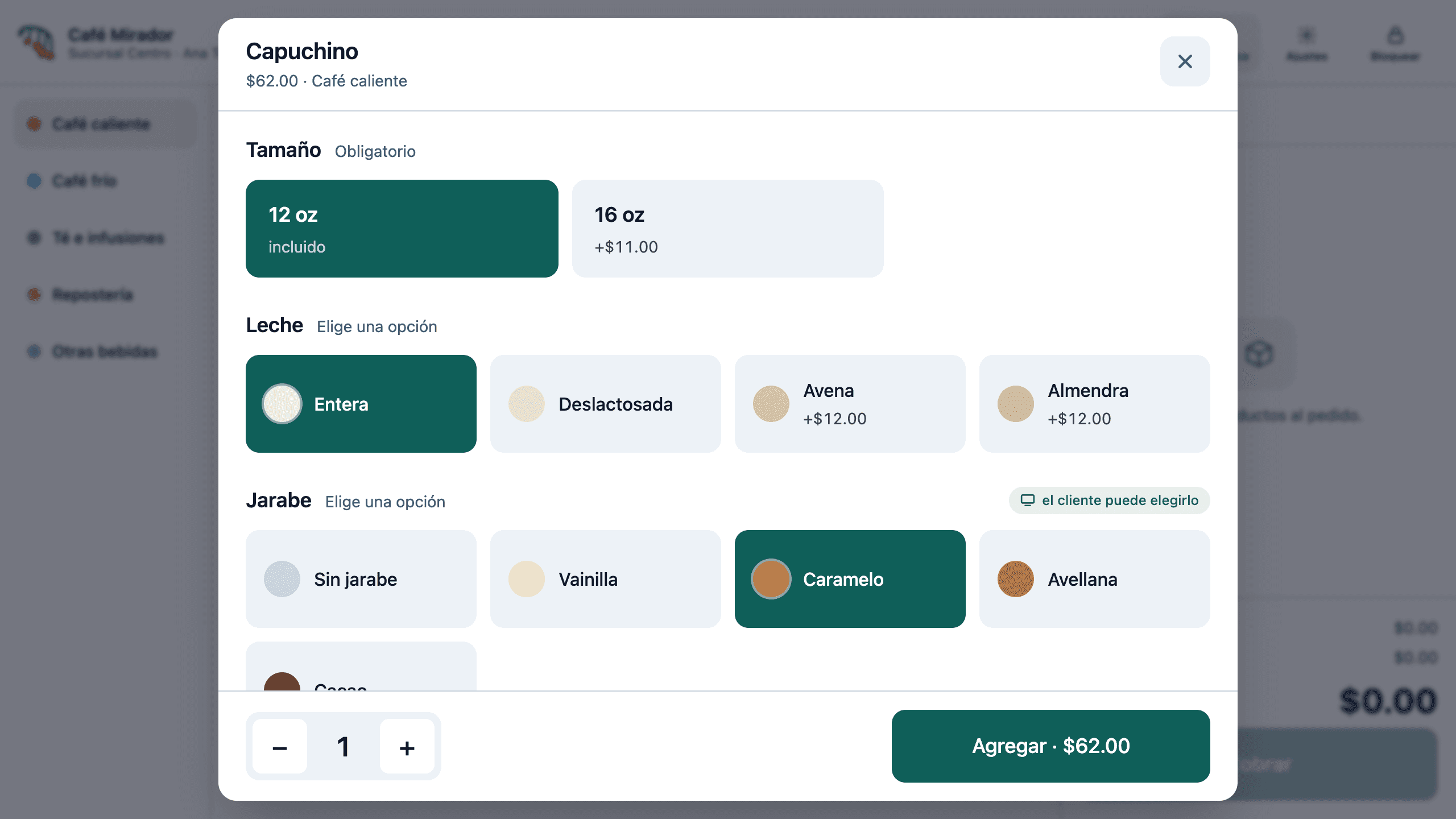
Anything without options goes straight in. Sizes, milks and syrups are asked only when the product needs them, and extras are added later, from the ticket.
Point of sale and operations
Pirul is the register, the inventory and the operations of your business, on a terminal that keeps charging even when the internet drops. And if your operation looks like no other, we build it to order.
Screens from the real system, with demo data.
Register
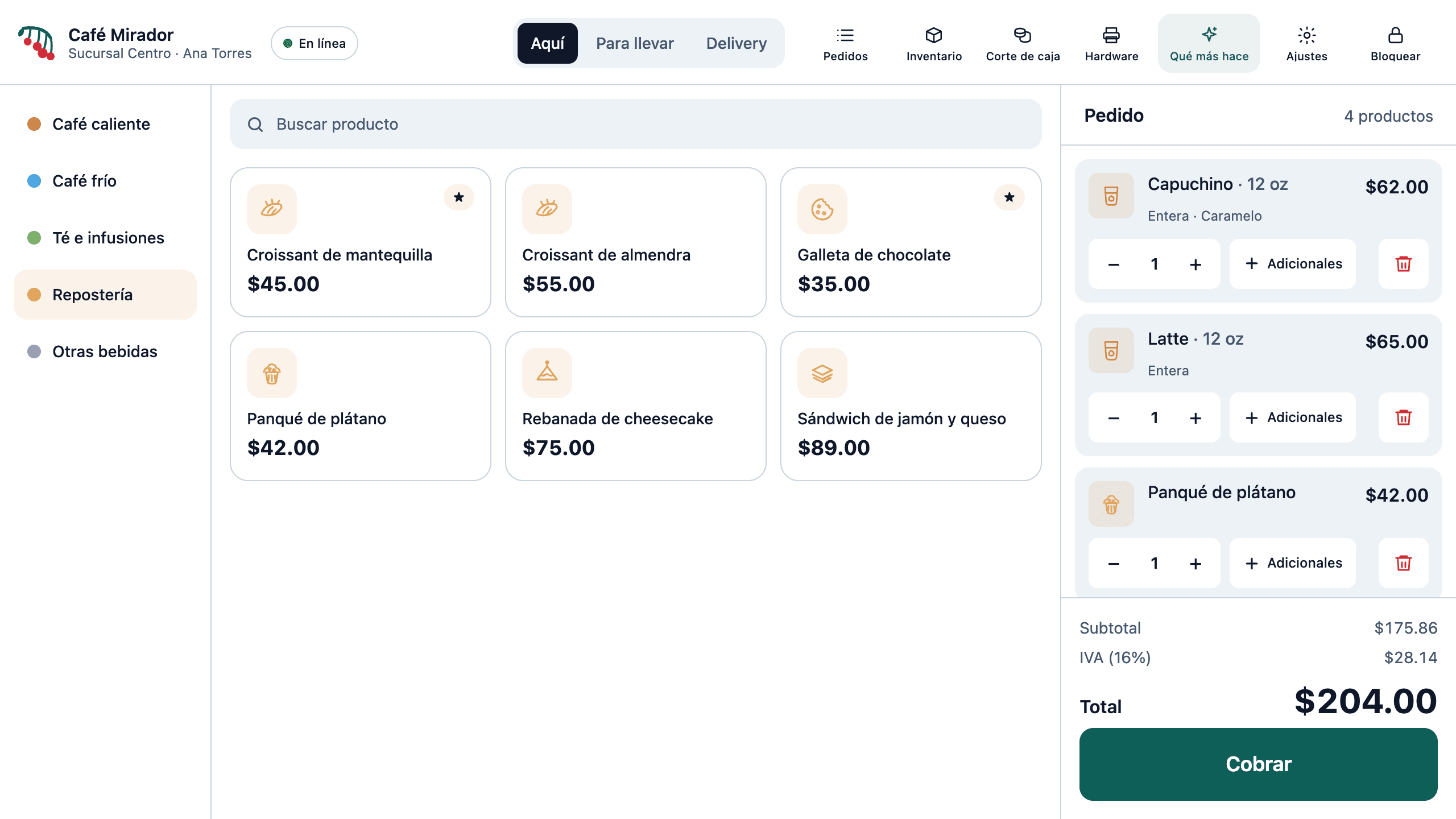
Every tap is designed for the 2 p.m. queue: a product lands on the ticket in one tap, and options only appear when they are needed.
Anything without options goes straight in. Sizes, milks and syrups are asked only when the product needs them, and extras are added later, from the ticket.
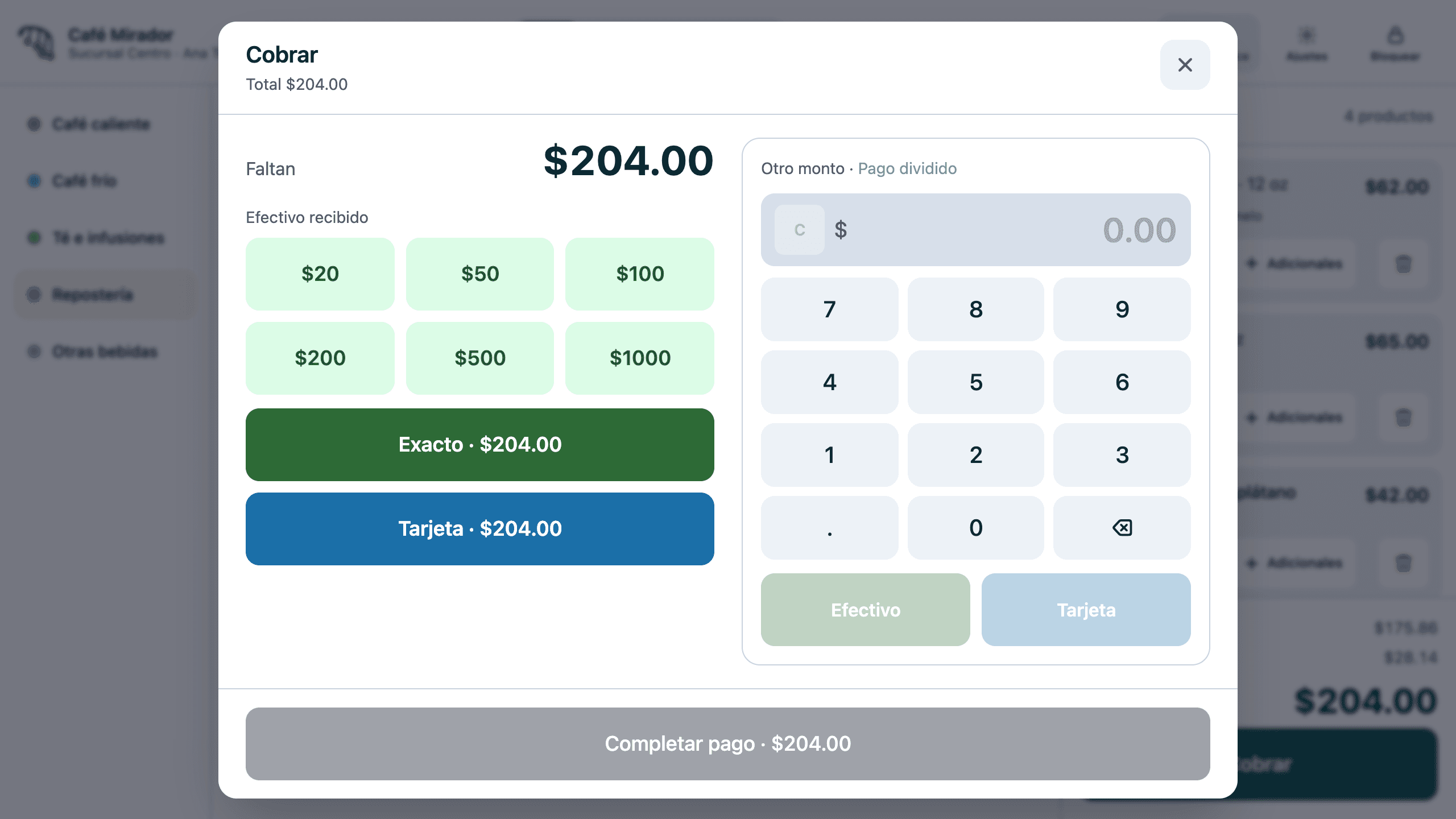
One-tap notes, exact payment, free amounts and split payments. The change shows up large, on both screens at once.
A printed, auto-cut receipt on every sale. The drawer only opens when cash changed hands: a card sale never opens it.
Your prices already include VAT, and the tax is itemised on what you actually charged — discounts included. No rounding that fails to add up.
Each cashier signs in with their PIN. Every product, discount and peso in the drawer is attributed to whoever rang it.
Customer display
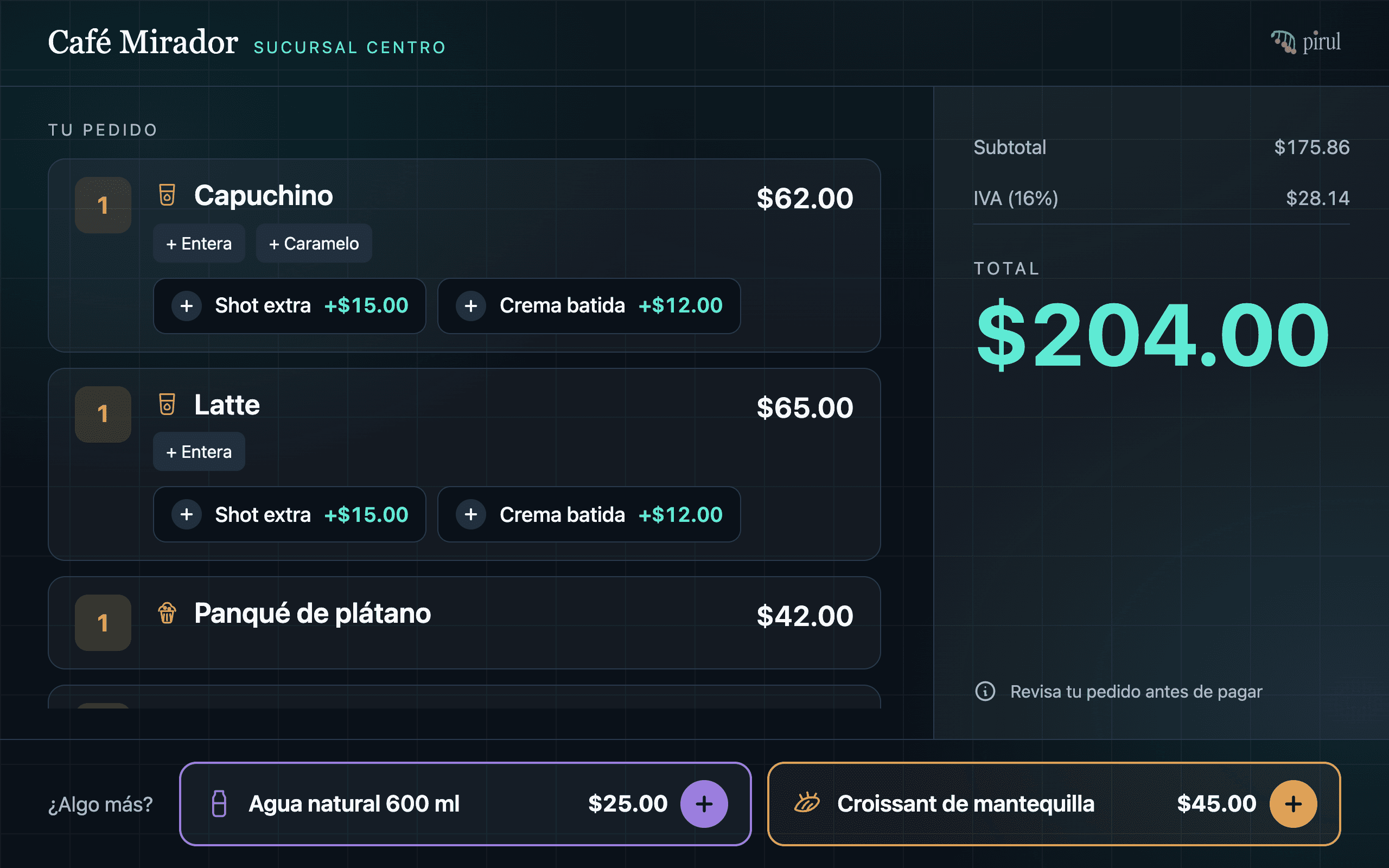
While you charge, your customer watches their order appear line by line, picks their flavour on their own screen and adds whatever they fancy in one tap. Nobody argues about the bill at the end: they have been reading it all along.
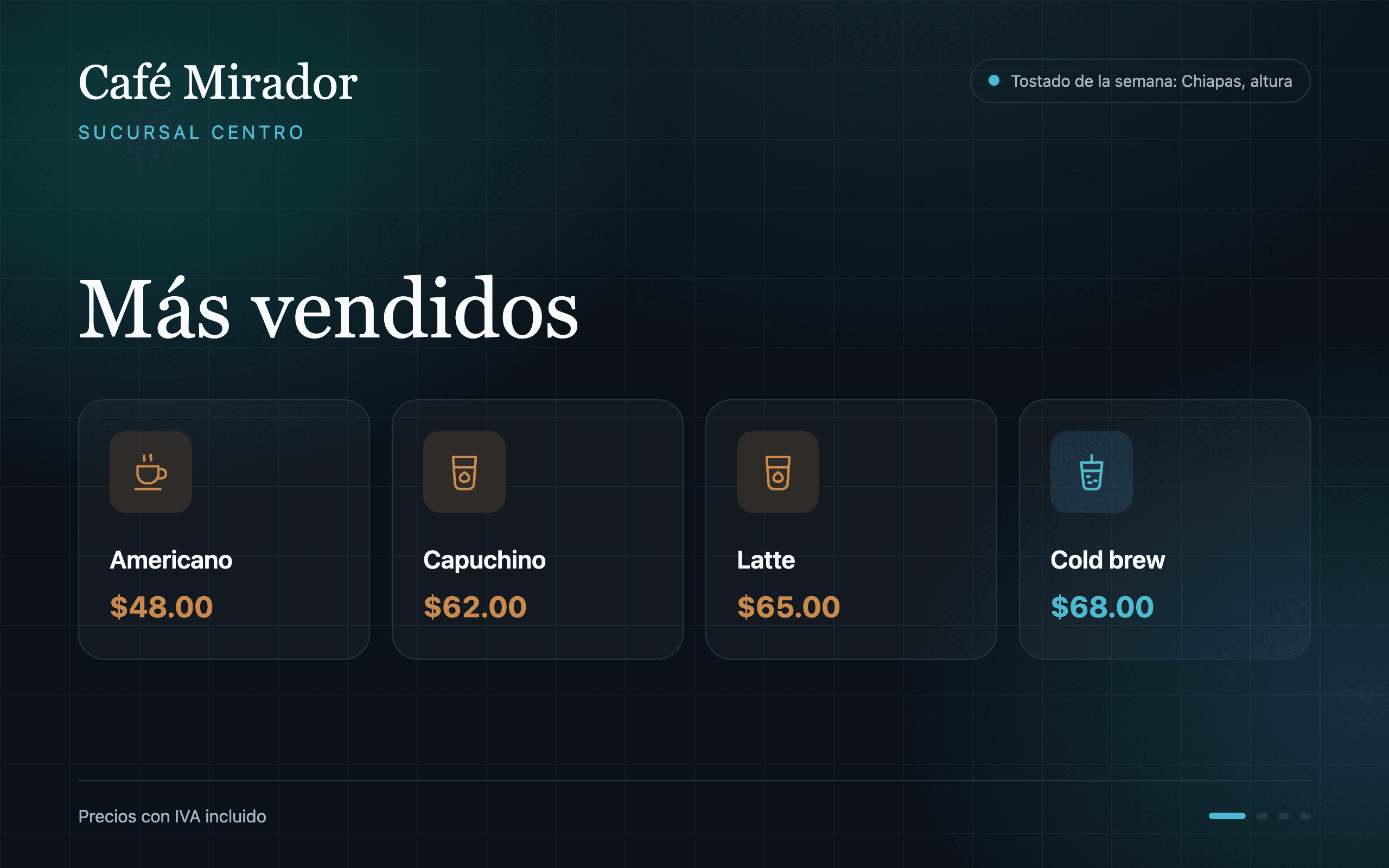
Each line appears as soon as it is rung, with the total in large type and the tax in view.
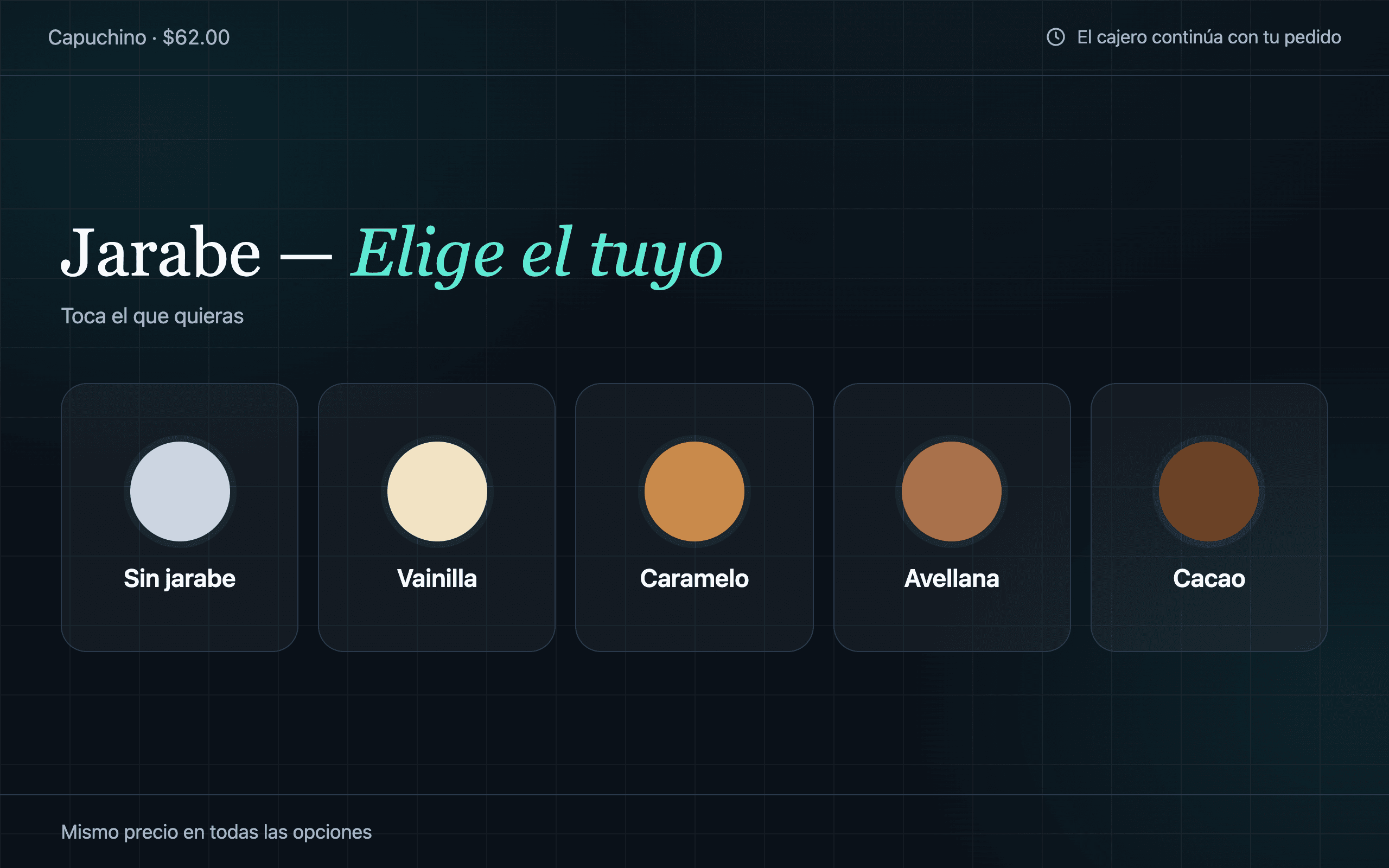
Flavours and options are answered on their screen while the cashier keeps ringing.
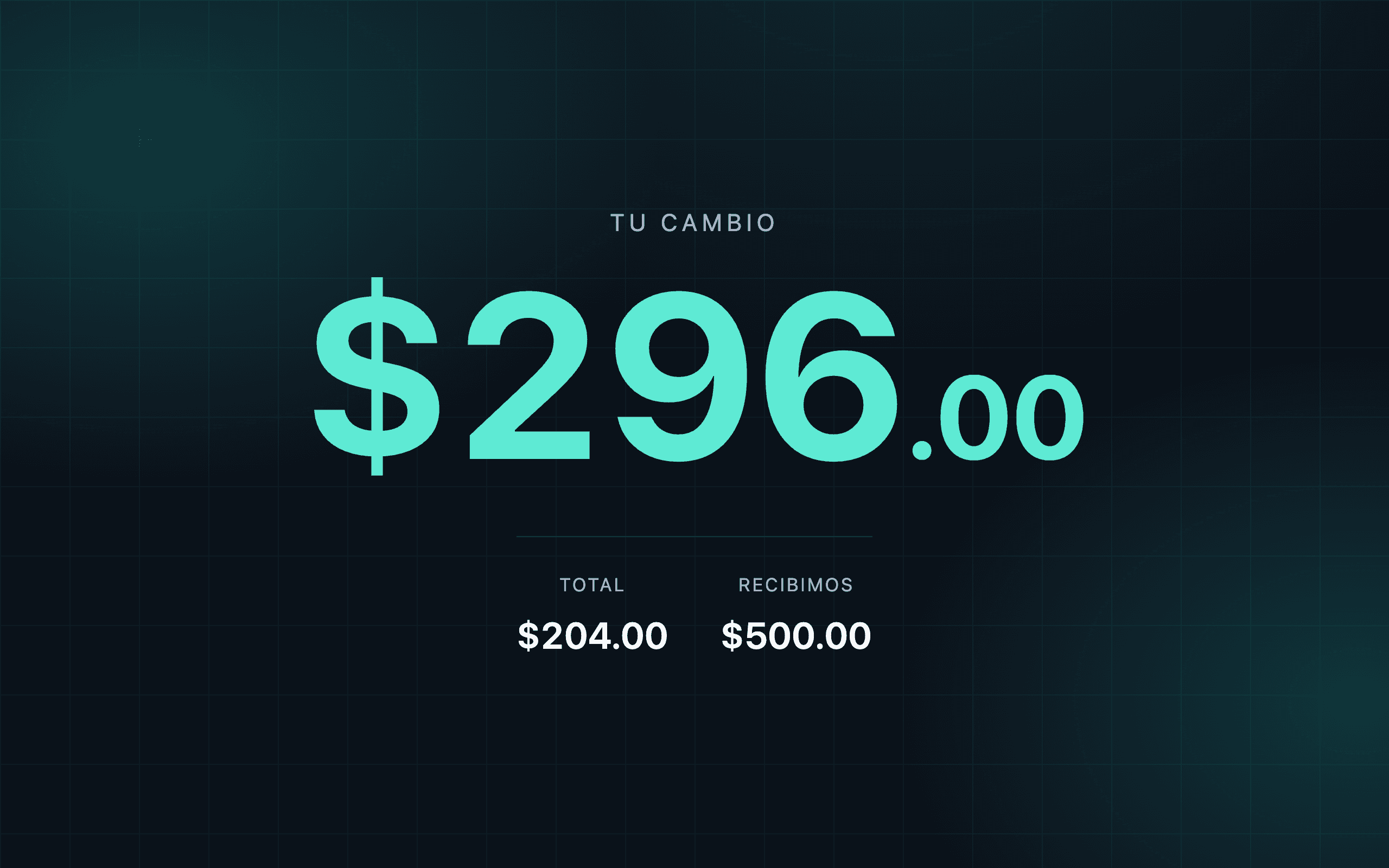
What they paid and what they get back, in the largest digits on the screen.
The customer display can never show your sales, your cash counts or your staff: it only sees what the register sends it.
Operations
The register is the tip. Behind it, Pirul runs inventory, cash counts and branches — and nobody has to type anything twice.
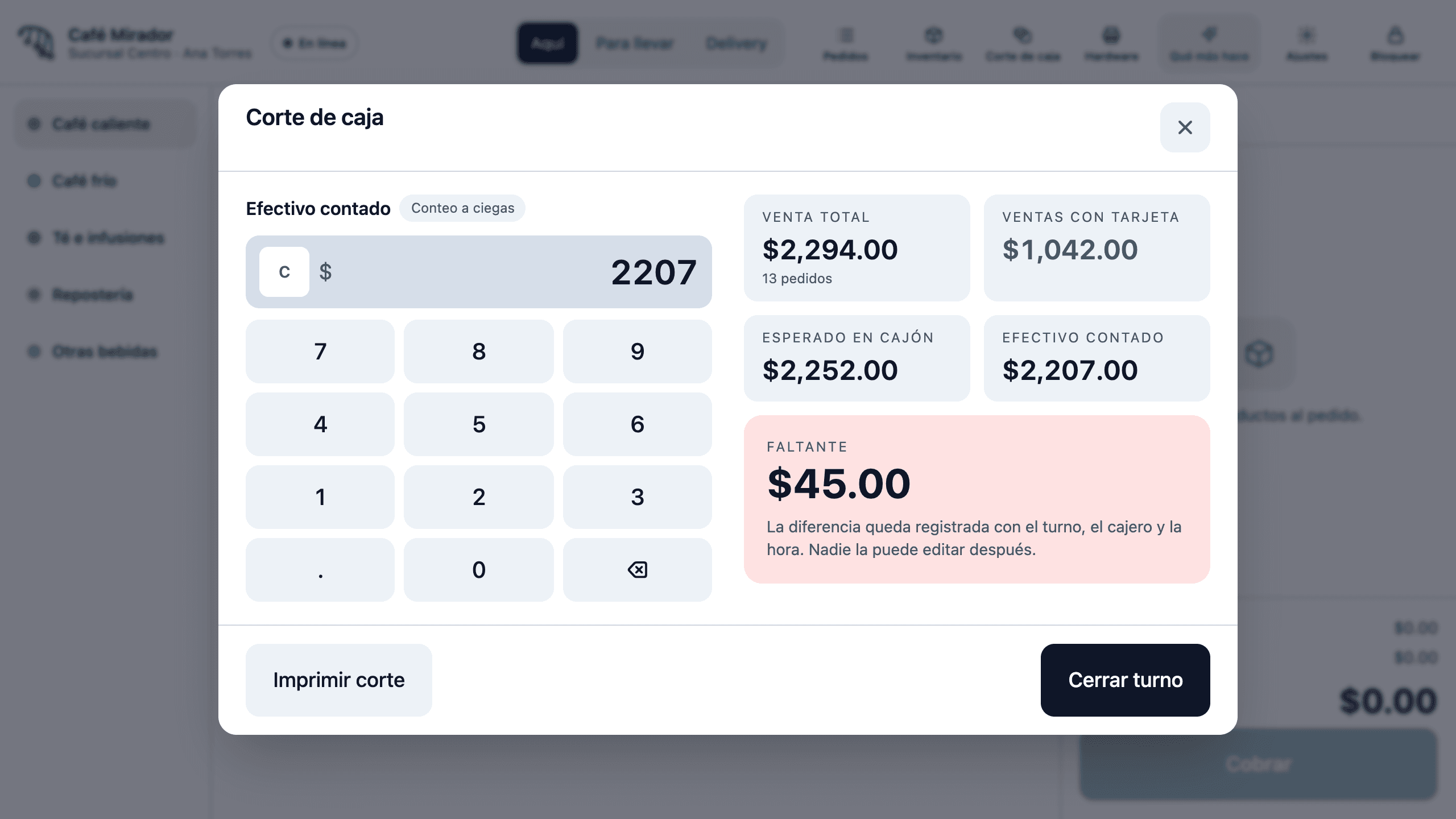
Every product has a recipe. Selling a cappuccino depletes the coffee, the milk and the cup it used. You know what is running out before it runs out, and every count tells you how much went missing.
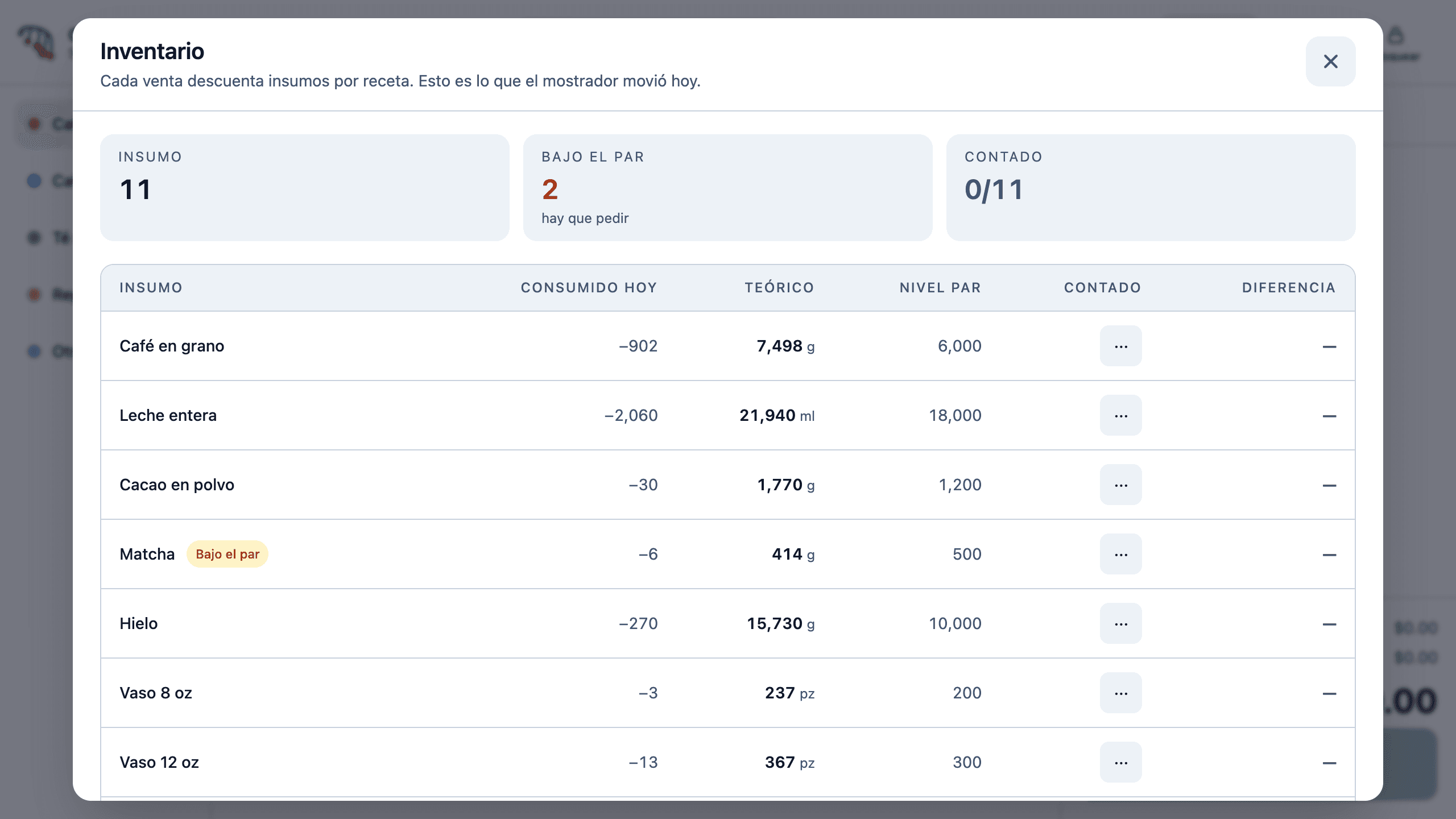
The cashier keys in what they counted before seeing what was expected. That way a shortfall — or a surplus — means something, and it is recorded against the shift, the cashier and the time.
Catalogue, prices and recipes are managed once and reach every terminal. Transfers between branches.
Owner, administrator, supervisor, cashier and kitchen. Everyone sees and does what is theirs to do.
Sales by hour, product and branch, margins by recipe and every shift’s count.
Clock-ins and clock-outs recorded on the same terminal, with supervision.
Offline
Pirul saves every sale on the terminal first and syncs it later. When the network returns, everything uploads by itself.
Terminal
Saves the sale instantly
Local queue
Waits for the network
Back office
Receives everything on reconnect
Hardware
Pirul runs on SUNMI D3 terminals: main screen, customer display, printer and drawer, all driven from the same system.
Already have other Android hardware? We assess it with you before proposing anything.
Built to order
This system did not come out of a catalogue: it was built for a 23-branch chain. We do the same for businesses whose operation does not fit generic software.
How we work23
branches: the chain it was built for
Pricing
No bundles you never use. Every proposal is built from your branches, your terminals and the modules you actually need.
The register keeps charging, printing and opening the drawer. Sales are stored on the terminal and sync by themselves when the network returns.
Pirul is tested on SUNMI D3 terminals with a customer display, printer and drawer. If you already have other Android hardware, we assess it with you before proposing anything.
Electronic invoicing is not included in the base product. If you need it, we integrate it with your stamping provider as custom work.
Today, card payments are recorded at the register and charged on your usual bank terminal. Direct terminal integration is quoted as custom work.
Yes. Pirul works the same for one branch as for a chain. Adding branches and terminals later does not change how you work.
You do. Each business’s information is isolated from everyone else’s, and you can export it whenever you need it.
It depends on the size of your catalogue and how many branches you have. The proposal includes a concrete calendar; chains are rolled out in phases, branch by branch.
Book a 30-minute demo. We show you Pirul running and tell you what the product solves as it is, and what would need to be built.